
NATS
How to declare a NATS output in Prelude TE, the topic format, and the JSON payload your subscribers receive.
NATS is the default and only output type available in this release. This page walks through declaring a NATS output and documents the topic format and payload shape your subscribers will see.
Declaring a NATS output
From Outputs, click New output and fill the form:
- Name — a friendly label.
- Description — optional free text.
- Type —
NATS. - Connection URL — the NATS server address (e.g.
nats://nats.example.com:4222ortls://nats.example.com:4222). - Use TLS — enables TLS on the connection. Leave on for any server reachable beyond a trusted network.
- CA certificate path — path inside the container to a CA certificate file, when your NATS server uses a private CA.
- Authentication — for nKEY authentication, paste the seed value. The engine stores the seed encrypted at rest and only ever surfaces the public key through the UI and the API. Leave empty for an anonymous connection.
- Enabled — leave on so the engine opens the connection immediately.
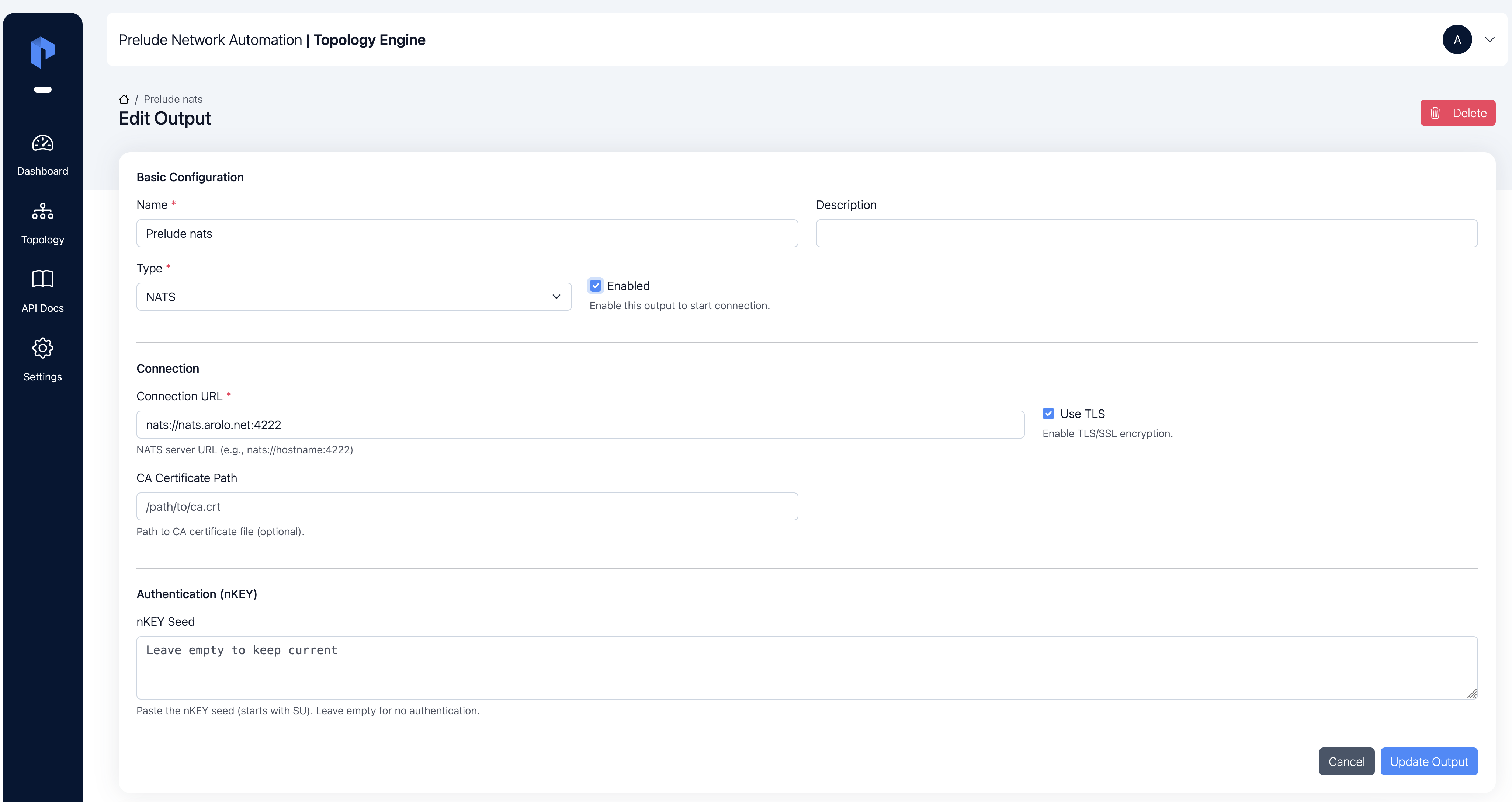
Click Save. The output appears in the list with its state
moving to connecting and then connected if the URL,
credentials, and CA settings line up.
Topic format
Every topology change is published to a topic of the form:
prelude.te.topology.<domain>
<domain> is the BGP-LS Instance Identifier the entity belongs to
— see Domains. One topic per domain means
your subscribers can scope themselves to a specific IGP scope, or
subscribe with a wildcard:
prelude.te.topology.>
to receive everything.
Payload format
Each message on a topic is a JSON object with a small envelope and the entity payload:
{
  "domain": "100",
  "type": "node",
  "action": "update",
  "data": { /* NodeExport, LinkExport, or PrefixExport */ }
}
| Field | Meaning |
|---|---|
domain |
The domain the change belongs to. Same as the suffix on the NATS topic. |
type |
node, link, or prefix — tells you how to interpret data. |
action |
update (the entity was added or updated) or withdraw (the entity left the graph). |
data |
The entity payload. Shape is NodeExport / LinkExport / PrefixExport — see Nodes, Links, Prefixes for the field reference. |
Example: link update
{
  "domain": "100",
  "type": "link",
  "action": "update",
  "data": {
    "key": "ASN:64001/BGPLS:100/IGP:0001.0000.0001->ASN:64001/BGPLS:100/IGP:0001.0000.0002[0:0/IPv4]",
    "local-node-key": "ASN:64001/BGPLS:100/IGP:0001.0000.0001",
    "remote-node-key": "ASN:64001/BGPLS:100/IGP:0001.0000.0002",
    "address-family": "IPv4",
    "metric": { "igp": 10, "te": 100, "delay": 6543 },
    "sr-mpls": {
      "adjacency-sids": [
        { "sid": 24000, "protected": true }
      ]
    },
    "source-peers": ["172.31.0.200", "172.31.0.100"],
    "last-update": "2026-05-26T11:22:45.584759+02:00"
  }
}
Example: prefix withdraw
{
  "domain": "100",
  "type": "prefix",
  "action": "withdraw",
  "data": {
    "key": "ASN:64001/BGPLS:100/IGP:0001.0000.0006/10.2.6.0/24",
    "node-key": "ASN:64001/BGPLS:100/IGP:0001.0000.0006",
    "prefix": "10.2.6.0/24"
  }
}
withdraw messages always reach subscribers — withdrawals are
never deduplicated. update messages are only published when the
entity payload actually differs from the previous one for that
entity, so a steady-state network produces a quiet stream.