
Topology
The consolidated topology Prelude TE builds from your BGP-LS peers — nodes, links, prefixes, and how to navigate them in the web UI.
The Topology page is where you see the live network Prelude TE has consolidated from your BGP-LS peers. It is the same data that flows out to your NATS outputs, rendered as a browsable view of the network.
What you see
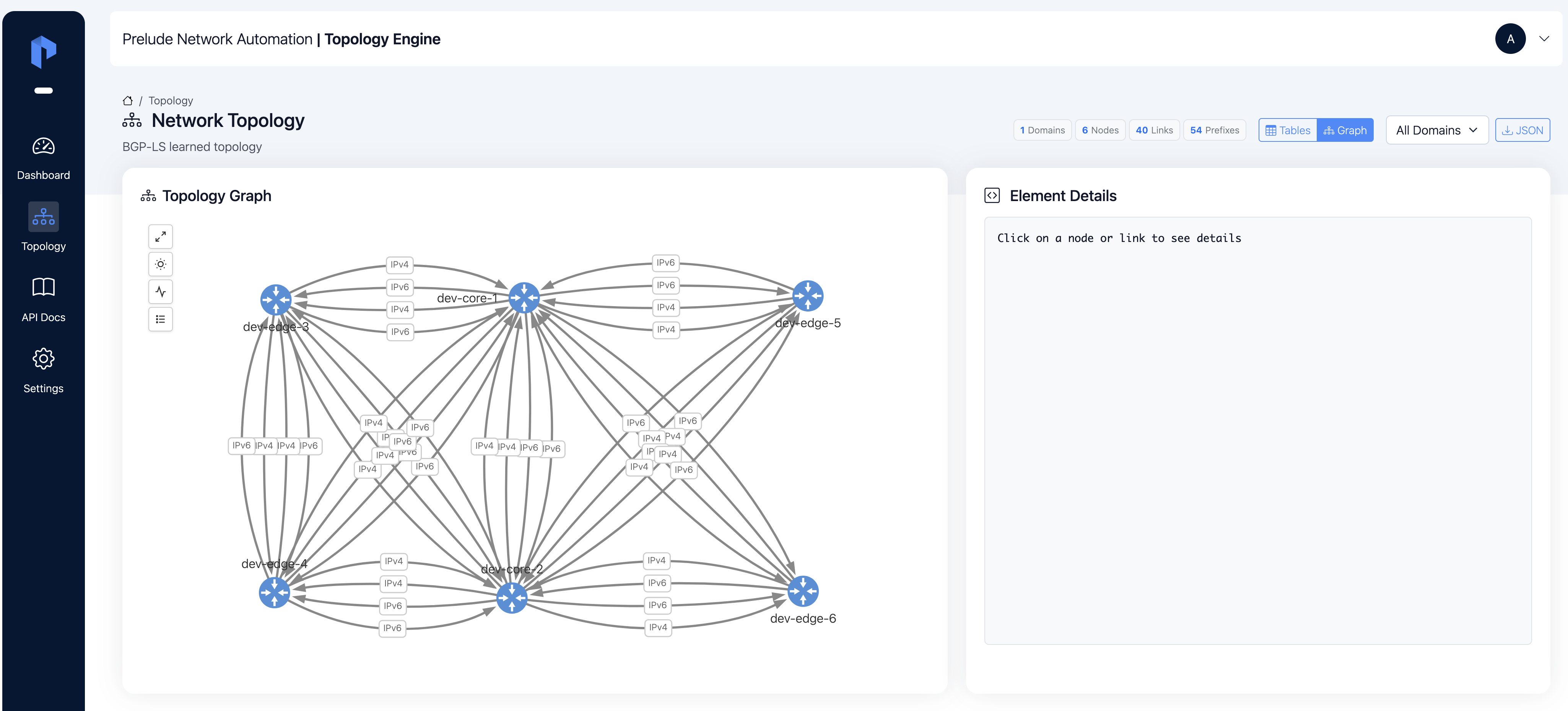
Open Topology from the left navigation. The page offers two views of the same underlying data:
- Raw Topology — a graphical rendering of the topology drawn directly from what your peers advertised, with every attribute available on click.
- Raw Table — the underlying list of nodes, links, and prefixes, presented as sortable, filterable tables. Best when you are hunting down a specific entity or auditing an attribute across the whole topology.
Both views share the same domain selector (see Domains) and the same live updates from BGP-LS.
A more polished, interpreted view — Routing Topology — is on the roadmap for a future release. For now, Raw Topology and Raw Table cover the full surface.
The objects you see are the same across both views:
- Nodes — the routers (and pseudonodes, for multi-access links) reported by your peers. Each node carries its router ID, AS number, area identifier, the protocol it was learned from (ISIS, OSPF…), and any SR-MPLS, SRv6, or Flex-Algo attributes the network advertised.
- Links — the directed adjacencies between nodes. Each link carries its IGP, TE, and delay metrics, its bandwidth attributes, admin groups, SRLGs, and the SR adjacency information available.
- Prefixes — the IP prefixes (IPv4 or IPv6) reported as reachable through a node, with the route type, the IGP metric, and any Prefix SID or SRv6 locator metadata.
Every entity also lists the source peers that reported it. That is what tells you whether you are looking at a redundantly-fed piece of topology or a single-source one.
For the detailed field reference, see the per-entity pages:
Nodes, Links, and Prefixes. For the
cross-cutting algorithm field, see Flex-Algo.
Live, partitioned, and unified
Three properties of the topology view are worth knowing as you use it:
- It is live, not stored. The graph is rebuilt from your peers every time Prelude TE starts. There is no cache to drift from reality — what the UI shows is what BGP-LS just said.
- It is partitioned by domain. Each IGP scope is held as its own graph. See Domains for how Prelude TE decides what counts as a domain, and how to pick the right one.
- Connected domains read as one network. When your network spans several IGP scopes, the All domains view in the domain selector merges everything into a single rendering — useful for inter-area or multi-IGP cores.
Where Segment Routing shows up
If your network runs SR, the same view surfaces it as first-class attributes on the relevant objects:
- Nodes — SR-MPLS capabilities and Node SIDs, SRv6 capabilities and locators, Flex-Algo participation.
- Links — SR-MPLS Adjacency SIDs, SRv6 End.X SIDs (with named endpoint behaviors and full SID structure).
- Prefixes — SR-MPLS Prefix SIDs (with decoded flags), SRv6 locator metadata.
- Flex-Algo — Flexible Algorithm Definitions and the
cross-cutting
algorithmfield that ties them all together.
Nothing extra needs to be configured on Prelude TE to see these — if the peer advertises them, the engine surfaces them.
Where to go next
- Domains — what a domain is and how to navigate them.
- Change events — what you observe when the network moves: added, updated, and withdrawn entities, both in the UI and on the NATS stream.