
Activity
The Prelude Collector audit trail — a filterable timeline of every configuration change (create, update, delete) with who made it and what changed.
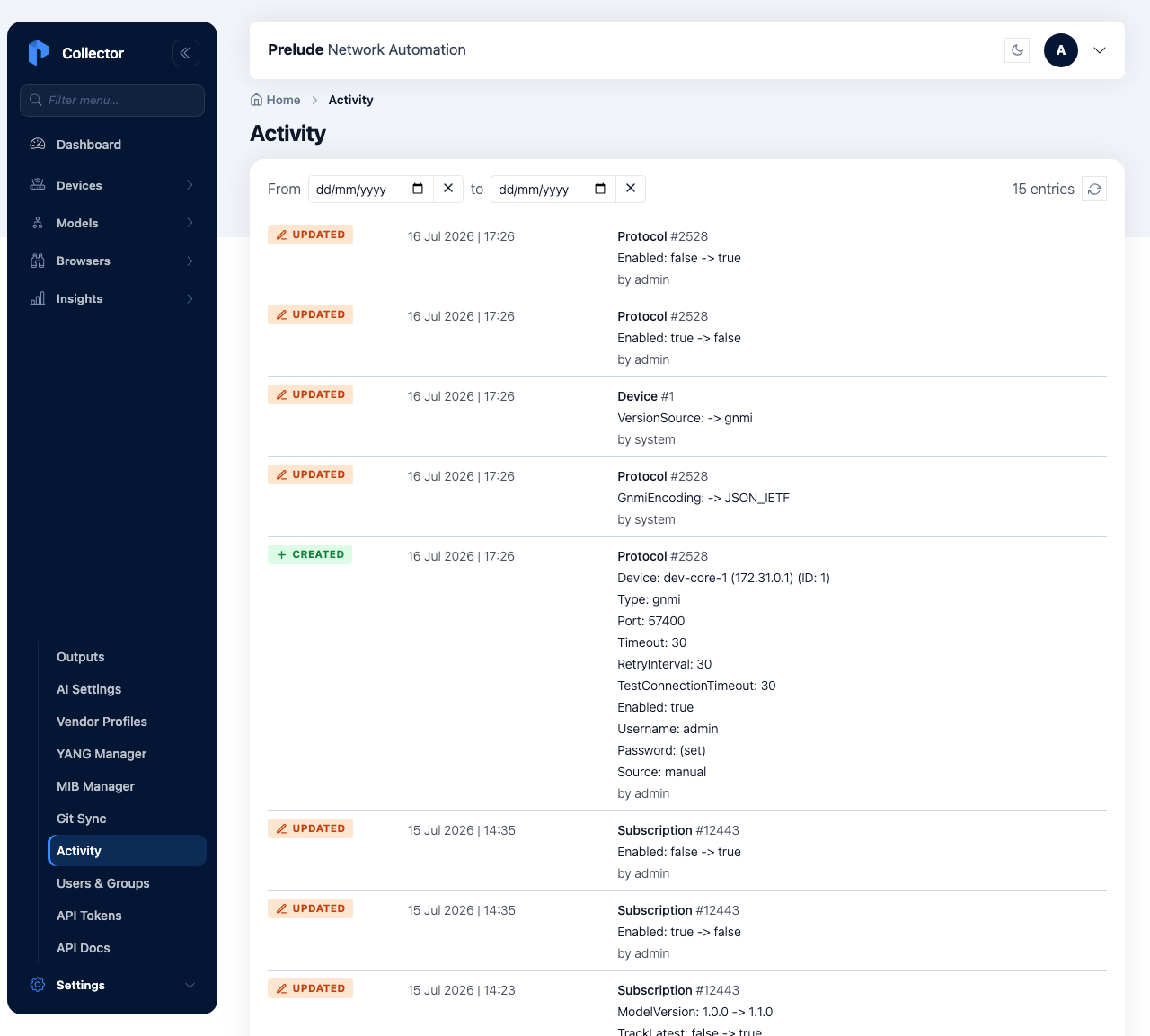
The Activity page is an auditable trail of configuration changes.
Every time a device, protocol, subscription, or vendor profile is
created, updated, or deleted, the collector records an entry — so you
can answer "who changed this, and when?" long after the change was
made. Open it from the navigation, or go directly to /activity.
What is recorded
Each entry captures:
- Who — the acting user, or
systemwhen the change was made by the collector itself rather than a person. - What kind of change — create, update, or delete.
- Which object — the configuration object that changed (for example a specific device or subscription).
- A description — a human-readable, field-by-field summary of what actually changed.
- When — the timestamp.
Changes are captured for the configuration objects you manage from the UI and API — devices, protocols, subscriptions, and vendor profiles. Routine collection activity (data samples, health evaluations) is not part of this trail; that lives in health and metrics.
Reading the timeline
Entries are shown newest first and load in batches as you scroll. A date filter (start and end date) narrows the timeline to a window — useful when correlating a behaviour change with a configuration change — and a refresh control reloads the most recent entries.
Retention
Entries are kept for a rolling retention window (90 days by default)
and pruned automatically beyond it. The window is configurable with
the COLLECTOR_CHANGELOG_RETENTION_DAYS environment variable.